

A Practical Figma AI Workflow for Website and App Launch Visuals
A website launch rarely needs just one image. The same campaign may require a desktop hero, a mobile crop, an app onboarding illustration and a short social video. Producing these separately can leave a business with inconsistent visuals and repeated approval rounds.
A useful Figma AI workflow starts with a shared brief, then connects creative exploration to careful review and implementation. Figma’s latest Weave integration gives teams another way to handle part of that process. The business opportunity is a more coordinated production workflow, provided the team measures quality, editing effort and cost.
What Changed in Figma Weave
On 26 October 2026, Figma announced that Weave’s image and video models can be accessed from external AI agents through Figma MCP. Examples include Seedance, Kling and Nano Banana. MCP is the connection that lets a compatible assistant use these tools.
The official Weave guide says a linked Weave account is required, with access on Starter, Pro, Team and Enterprise plans. Generations use Weave credits rather than Figma AI credits. This adds a way to request assets through an assistant; your team still needs to decide what to create and whether the result belongs in the finished product.
Begin with a Business Brief
Before generating anything, define the message and the action the visual should support. A visitor should understand what you offer and what to do next, even if a decorative image never loads.
For a hypothetical UK home-services company, the brief might specify a trustworthy tone, approved brand colours, space for a quotation headline and a realistic depiction of the service. For a US software startup, it might focus on one product benefit and avoid visuals that resemble features the application doesn’t have.
Include the intended audience, approved references, prohibited imagery, placements and required formats. Define what must stay identical across assets and where variation is acceptable. These decisions give designers and reviewers a common standard.
Develop a Small Set of Visual Directions
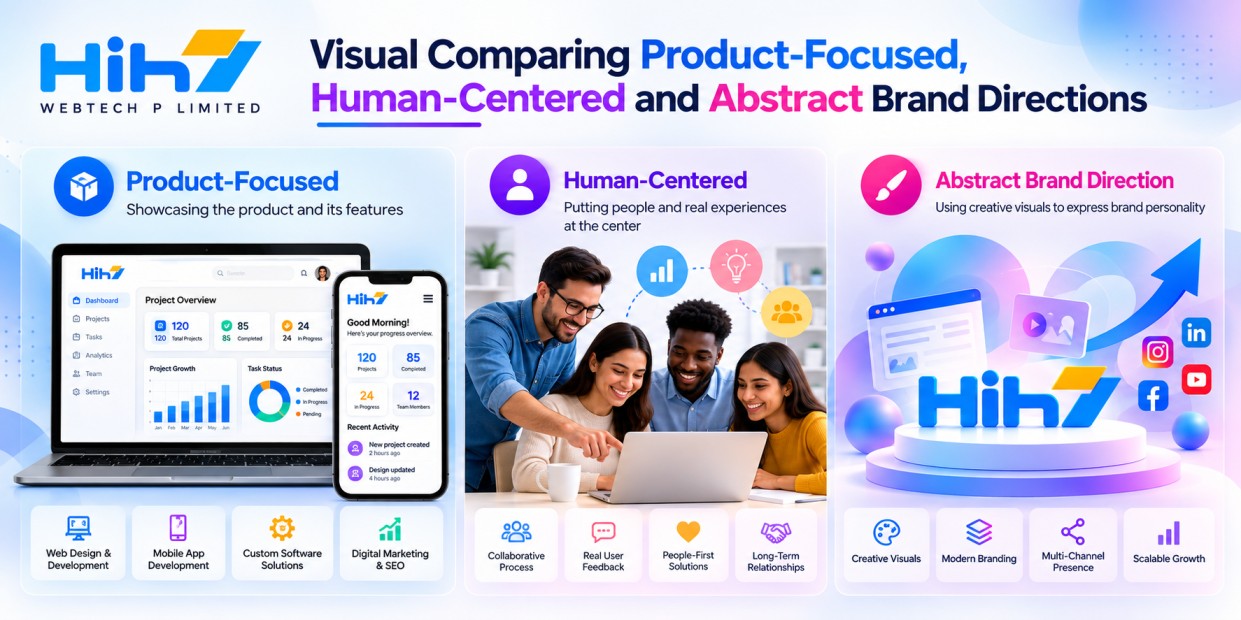
Start with a few deliberately different concepts rather than a large batch of loosely related images. For example, explore a product-focused direction, a human-centred direction and a more abstract brand illustration.
Evaluate each inside the proposed page layout. An attractive standalone image may fail when a headline covers it or when a mobile screen crops away the important detail. Keep essential copy in editable page or interface elements rather than relying on text baked into artwork.
Choose one direction before expanding the asset set. This creates a useful approval point: the client approves the visual language before the team spends more effort adapting it.
Adapt the Approved Direction to Each Channel
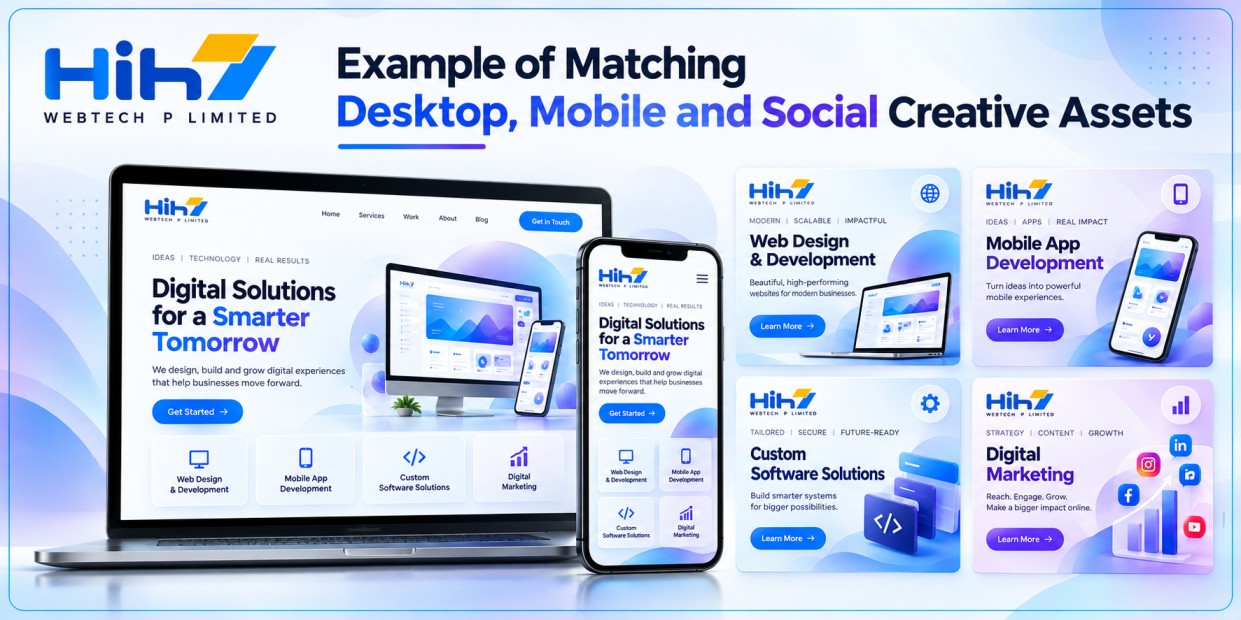
Consider a hypothetical Australian ecommerce launch. A desktop banner might show a product in an illustrative setting. The mobile version could use a simpler composition, while a short social clip introduces the same mood.
Those assets should share recognizable colors, lighting and composition choices. They do not need to be identical crops. Give each placement its own job and review it at the actual display size.
For a mobile application, an illustration can help introduce a concept. Actual interface screenshots should remain faithful to the working product. Generated scenes should not imply product results, customer endorsements or functionality that have not been verified.
Set Approval and Spending Boundaries
Choose who can request generations, who approves further exploration and who accepts the final assets. Save the brief, selected references and approved outputs so later revisions begin from the same decisions.
Weave’s documentation describes credit confirmation for chargeable tool runs, but also notes that some dynamic costs cannot be quoted beforehand. Agree on a pilot budget and a stopping point. Exact subscription prices and model-specific generation charges should be checked in the account before committing to a client estimate.
The current documentation also says creating and editing Weave workflows through MCP is unsupported. Do not scope a project on the assumption that an assistant can build the entire production pipeline from chat. Set up the repeatable process first, then use supported tools within it.
Prepare Assets for a Working Website
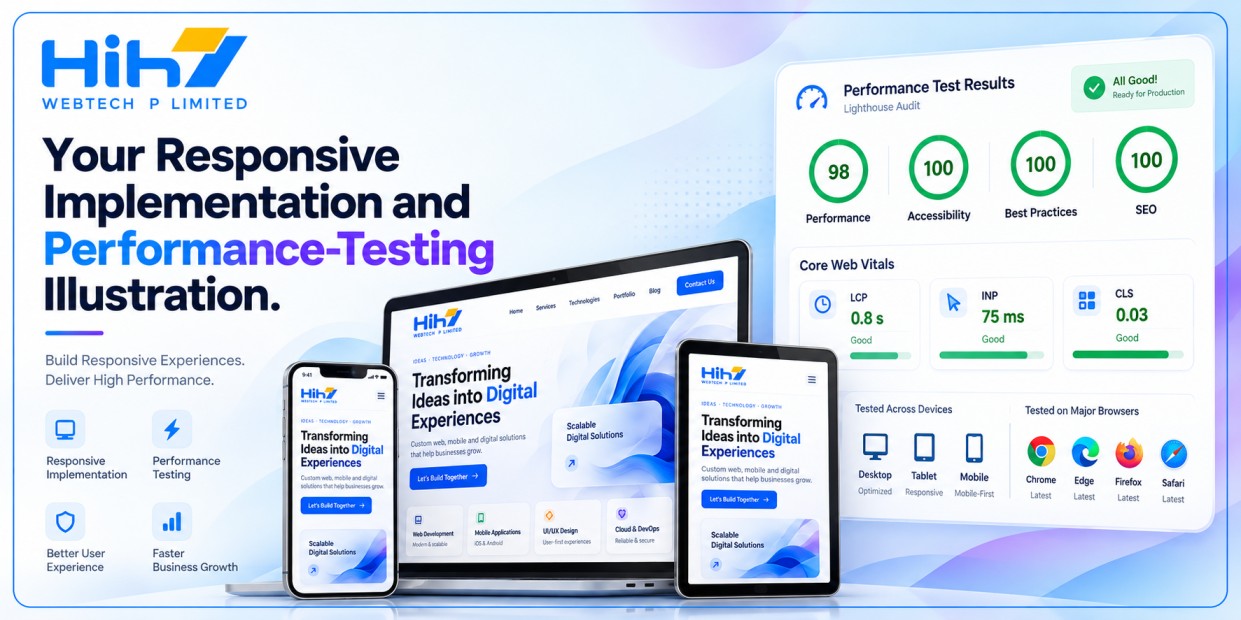
Approval of the artwork is only one stage. A developer still needs suitable exports, responsive placement, useful alternative text where appropriate and a sensible loading strategy.
For video, consider whether a still image or click-to-play experience communicates the message adequately. Google’s video-loading guidance explains how poster images and preload settings can reduce unnecessary downloads. Test the result on representative mobile connections, not just an office desktop.
Movement needs review too. W3C’s guidance on Pause, Stop, Hide describes controls for nonessential moving content that starts automatically, lasts more than five seconds and appears alongside other content. Plan those controls during design, rather than adding them after the page is built.
Measure the Workflow Before Scaling It
Run a bounded pilot: one approved brief, a limited asset set and a clear acceptance checklist. Record generation credits, designer editing time, approval rounds and the number of outputs accepted.
Calculate cost per approved asset using both generation spend and production time. A cheap image that needs extensive correction may cost more overall than a carefully directed alternative. Also check that the final media does not undermine mobile readability or page performance.
If you later test business impact, compare appropriate outcomes such as completed inquiries or product engagement. A new visual or faster generation process alone does not establish an increase in sales.
Where Human Judgment Remains Essential
AI output can drift from a brand, introduce misleading details or require substantial retouching. Confirm permissions for reference materials, review the selected provider’s terms and decide whether client-confidential material is appropriate to upload.
For US, UK and Australian audiences, review language, settings and cultural details with the intended market in mind. A broadly convincing image can still feel wrong for a specific local business.
This workflow is most useful when a business needs coordinated assets and can supply a clear brief. It is less suitable when the image must provide documentary proof of a real product, person or completed project.
Plan a Launch Around Approved Assets
HIH7 Webtech‘s web, mobile app and graphic design services bring these deliverables into the same project conversation. If you are planning a website redesign, app launch or digital campaign, share your existing brand materials, audience and required placements with HIH7.
Start with a focused visual brief and pilot scope. That gives your team a practical basis for deciding where AI-assisted production fits your launch.